


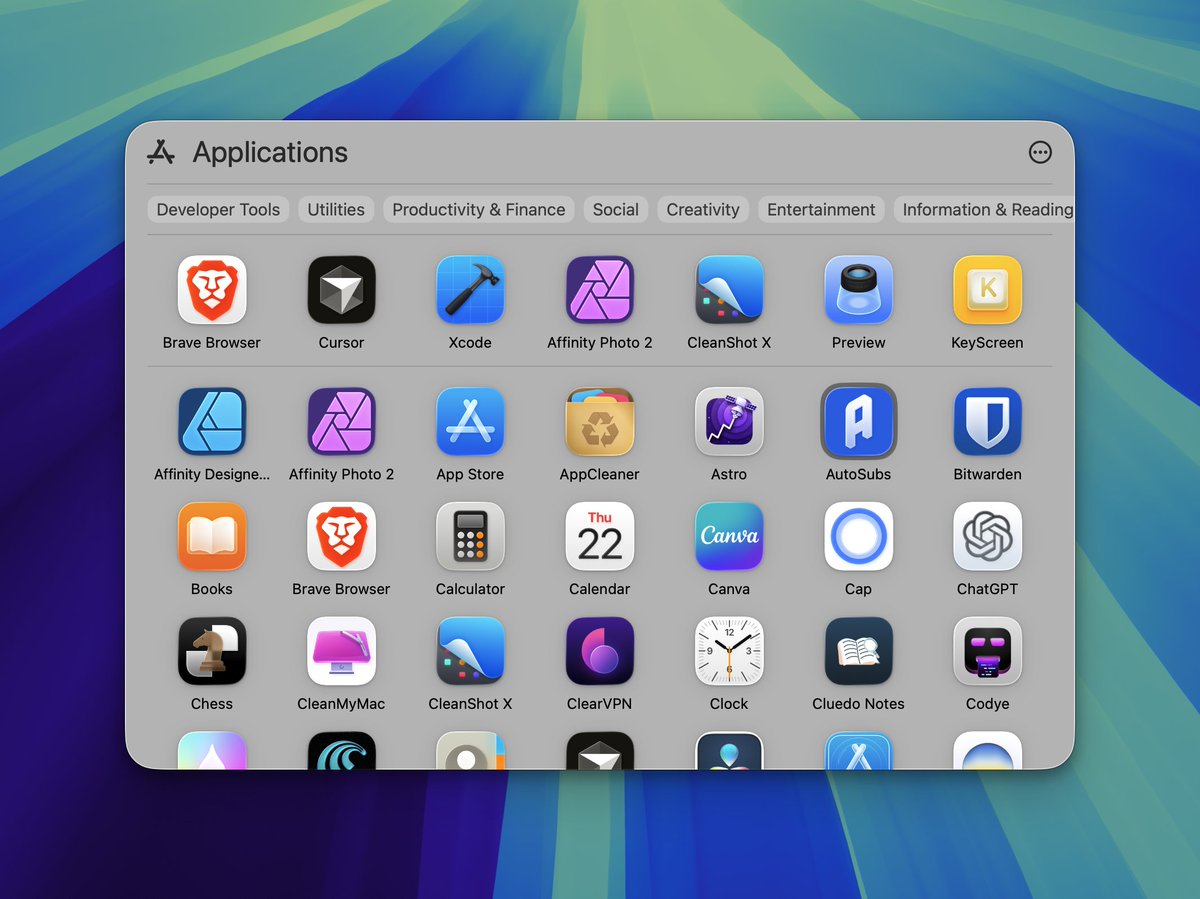
If you hate the new Spotlight and have trouble opening apps from it then use this little trick.
1. Press Cmd + Space to open Spotlight as usual.
2. Press Cmd + 1 to go to Applications view.
3. Type in your app name that you want to open. https://t.co/W04zpwHrJq
1. Press Cmd + Space to open Spotlight as usual.
2. Press Cmd + 1 to go to Applications view.
3. Type in your app name that you want to open. https://t.co/W04zpwHrJq
3
1
1
181
1
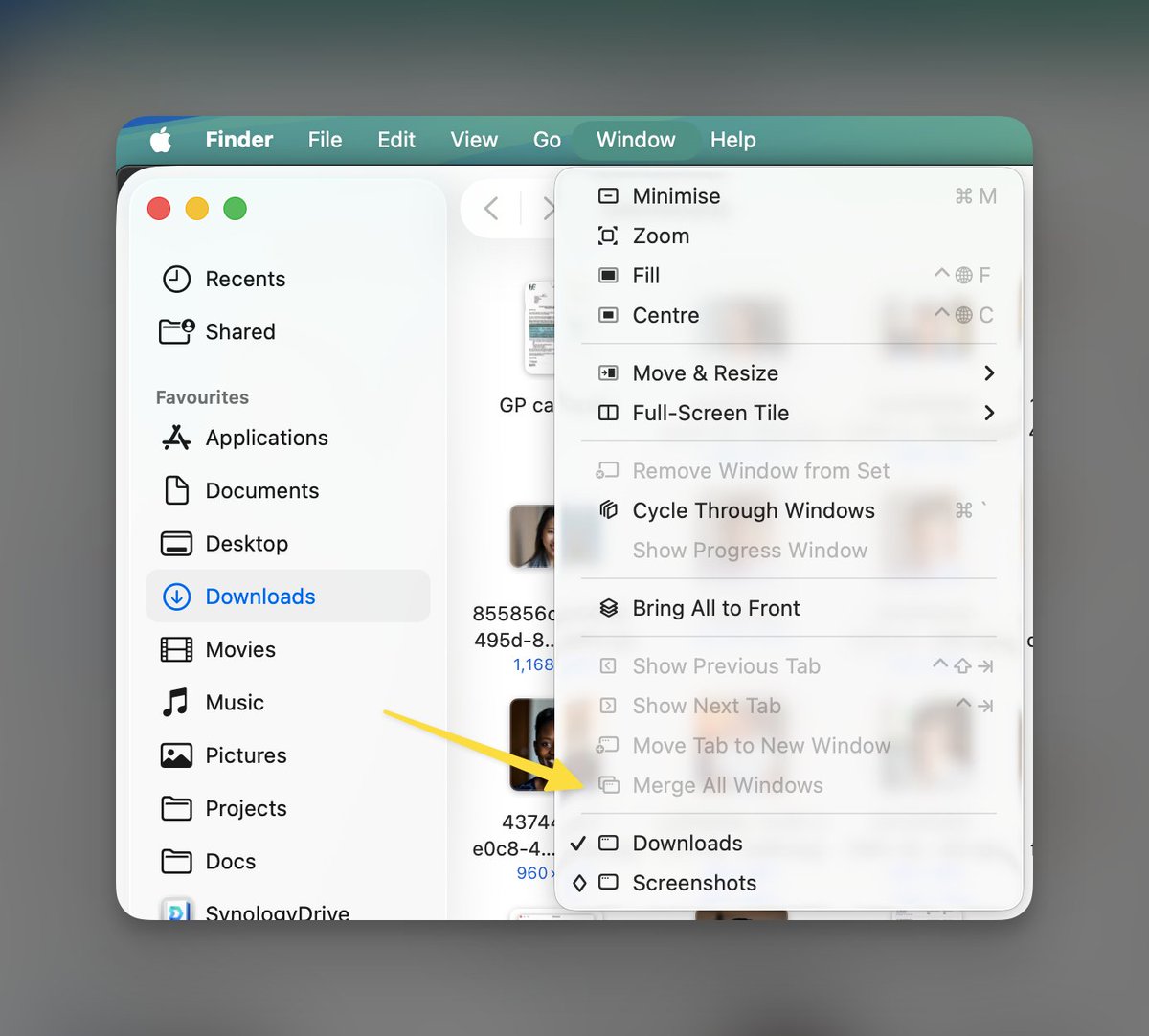
Why is this greyed out in macOS 26?
Earlier I could just drag one window over another and they would merge. https://t.co/R45dwrr6aK
Earlier I could just drag one window over another and they would merge. https://t.co/R45dwrr6aK
1
0
0
214
0
Director of Software Eng. @Mastercard. Built https://t.co/LYOcc50SMG, https://t.co/Nz1HirwE7y, https://t.co/DZ46zv62wP, https://t.co/wiD3tZkSVQ, https://t.co/cYZSBBLrs6, https://t.co/4zZk6CuG5h.
937 Followers
2 Contributions
330
Total Members
+ 0
24h Growth
+ 0
7d Growth
Date Members Change
Jun 15, 2026 330 +0
Jun 14, 2026 330 +0
Jun 13, 2026 330 +0
Jun 12, 2026 330 +0
Jun 11, 2026 330 +0
Jun 10, 2026 330 +0
Jun 9, 2026 330 +0
Jun 8, 2026 330 +0
Jun 7, 2026 330 -1
Jun 6, 2026 331 +1
Jun 5, 2026 330 +0
Jun 4, 2026 330 +0
Jun 3, 2026 330 +0
Jun 2, 2026 330 —
No reviews yet
Be the first to share your experience!
Share Your Experience
Sign in with X to leave a review and help others discover great communities
Login with XLoading...
All things macOS. For deals on Mac apps, visit www.apps.deals
Community Rules
Be kind and respectful.
Keep Tweets on topic.
Explore and share.
No affiliate links.